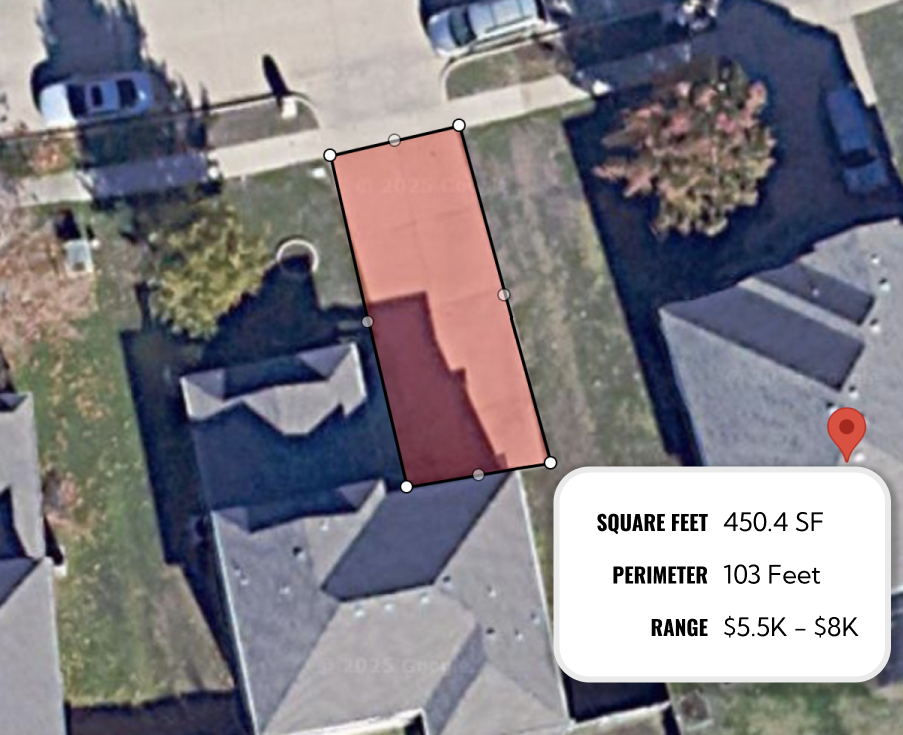

Homeowners can now estimate concrete driveway costs directly from aerial imagery without scheduling a site visit. For concrete driveway projects, you can trace the area on a map, add a few project details, and get a strong first estimate without waiting for a site visit.
This approach works best for flat, clearly visible areas. It is not perfect in every case, but it can help you plan your budget faster than ever before.
What details do you need besides area?
Area is the starting point, but it is not the whole job. To get a better number, you also need a few project details.
These details affect material, labor, and total cost. That is why a map alone is helpful, but a map plus project specs, which the tool requests, is much better.
Key details that change concrete price
- Thickness: 4-inch, 5-inch, or thicker
- PSI strength: stronger concrete often costs more
- Finish: broom, smooth, stamped, or exposed
- Reinforcement: rebar thickness and spacing
- Site access: easy vs hard-to-reach spaces
- Removal: old concrete demo and haul-off
- Edge forms: curves and custom shapes can add labor
For example, a 1,000 square foot, 4-inch, broom-finished driveway slab with a curved walkway is priced differently than a 1,000 square foot, 4-inch, simple square patio.
How to estimate concrete cost from an aerial map
You do not need to be a contractor to do this. You just need to trace the area as closely as you can and enter the right project details.
1. Enter an address
Enter your address, so the calculator can pull up your property on the map.
2. Trace the shape
Use the map tool to outline the area. Straight lines are easy, but curved edges can also be traced by adding more points.
Take your time here. A better outline gives a better concrete estimate by square footage.
3. Check the edges
After tracing, review the edges. If you accidentally put one of the edges in the wrong place, zoom in and adjust the outline.
4. Add project specs
Pick the thickness, PSI, and other options that fit your job. This step turns a simple area measurement into a much more useful cost estimate.
If you are not sure what to choose, start with typical residential specifications. You can always revise the estimate later.
5. Review the result
Your estimate should reflect both area and job details. The calculator also generates project specifications that you can share with contractors when requesting bids.
How accurate is a map-based concrete estimate?
For many homeowners, it is accurate enough for early planning. It is often much better than guessing the size or using a national average with no local job details.
Still, it is not the same as final field pricing. Some costs only show up when the site conditions are known.
What makes it more accurate
- Clear aerial imagery
- Simple project geometry
- Correct slab thickness
- Accurate PSI and finish selections
- Local labor and material pricing
What can lower accuracy
- Sloped ground
- Hidden obstacles
- Limited truck access
- Drainage work
- Tree roots or unstable soils
- Permit or inspection requirements
So if you are asking, “Can I get a concrete quote without a site visit?” the answer is yes for a planning estimate. For final contract pricing, some projects may still need someone to inspect the site.
Final thoughts on estimators
The interactive concrete driveway calculator works best for clear, simple jobs. If the site has slope, drainage issues, or hard access, the final price may change significantly, but the map estimate is still a very useful first step.